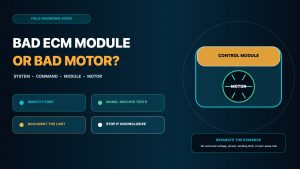
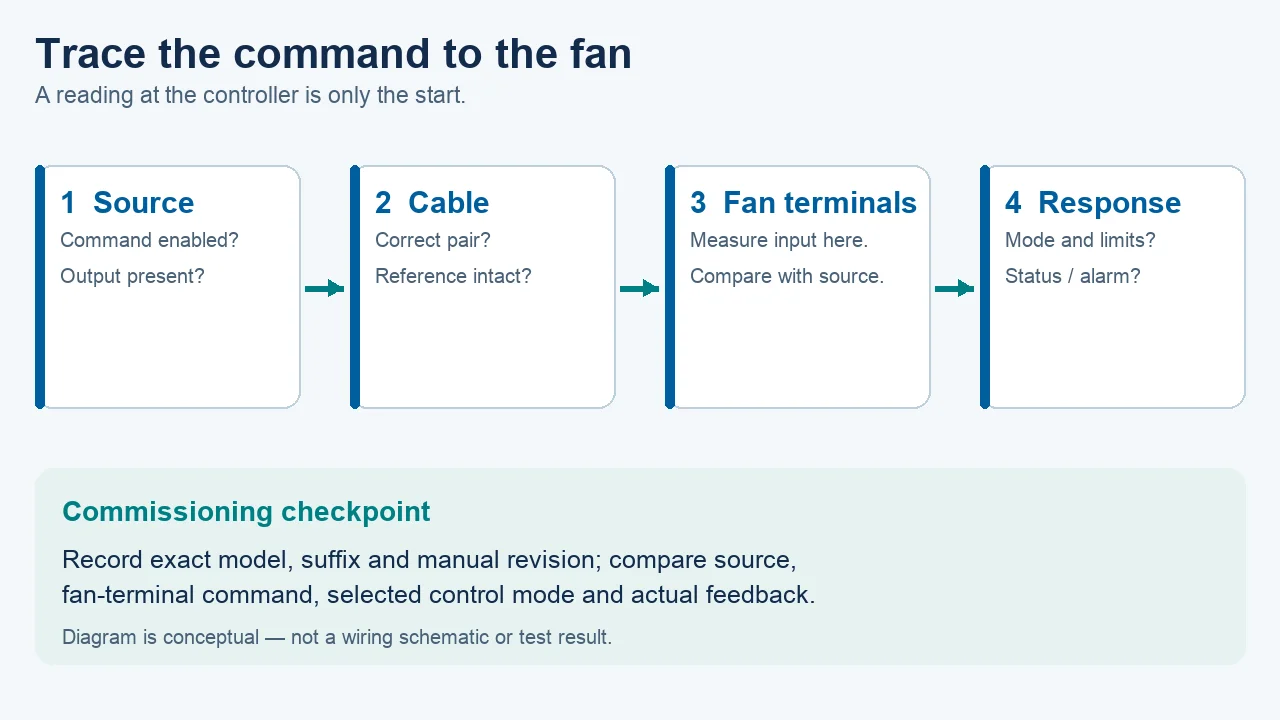
An EC fan that does not follow a speed command has several possible explanations: the command may not reach the input, a different input may have authority, an enable or alarm condition may override it, or the fan may be at a configured speed limit. The practical way to separate these possibilities is to trace one defined command from its source to the fan and compare it with the fan’s response.
Start with the exact fan and operating state
First determine whether the fan is powered, stopped, at a fixed speed or changing speed without tracking the requested value. Read its status indicator, alarm output or available telemetry rather than diagnosing from sound alone. A running fan is not proof that the external controller owns the speed command; a stopped fan is not proof that its electronics have failed. Record the value being requested, the time, measured speed if available, and any enable, interlock or protection state.
LONGWELL lists several EC fan families, but a family overview cannot identify the terminal map or control mode of an installed unit. An EC axial fan, a backward-curved impeller and a duct fan may use different controller revisions. Use the exact product sheet or service document, including the suffix and revision, before treating a generic example as a wiring instruction.
Prove what reaches the fan, not only what leaves the controller
For an analogue input, a reading at the controller output says little about a disconnected conductor, missing reference or incorrect terminal at the fan. A qualified technician can compare the source value with the value at the specified fan input and its specified reference while holding the same command. Confirm the source is enabled and that any required common or reference has continuity according to the model’s instructions. A voltage measured against an arbitrary chassis point can mislead.
If the values differ, examine the cable route, connections, loading and controller output capacity before replacing the fan. If they match, continue to the selected input mode, enable logic and speed mapping. Do not assume a zero reading always means reversed polarity: the source may be disabled, the reference may be absent, or the measurement may be across the wrong pair. The control-interface comparison explains the different command and feedback boundaries.
Use a different observation for analogue, PWM and Modbus
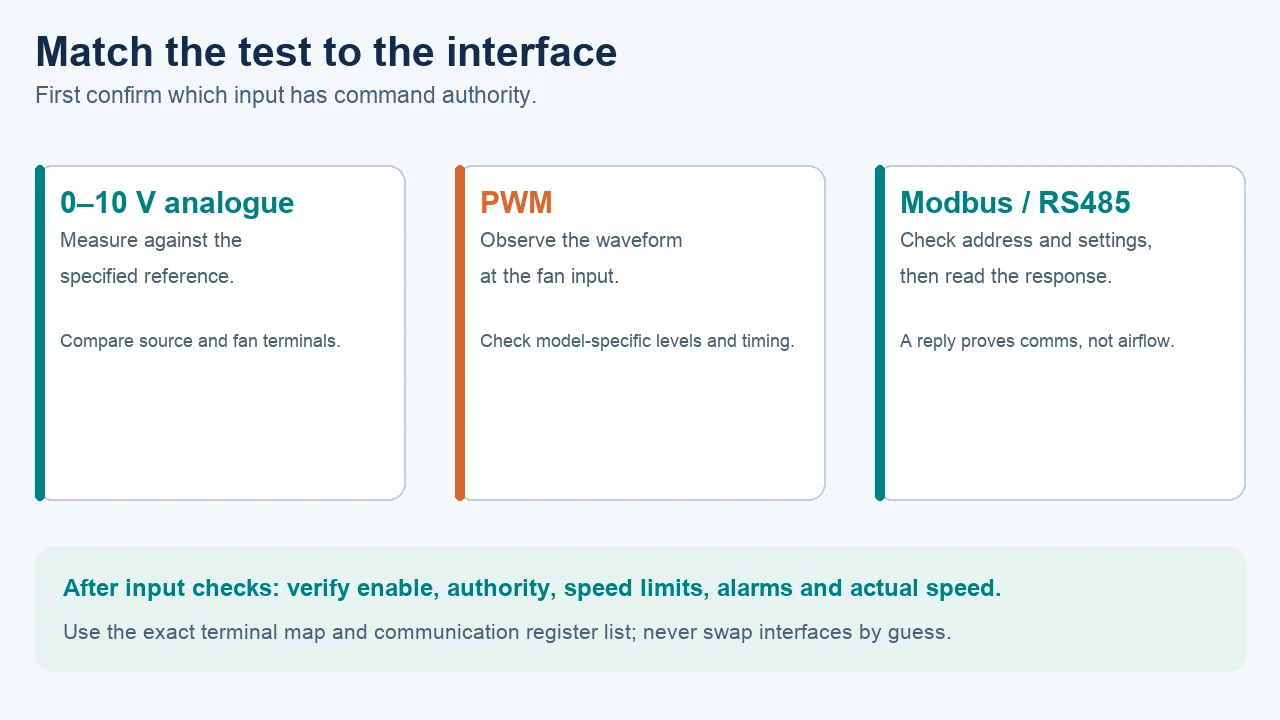
A 0–10 V input is assessed against its specified reference and scale. PWM requires observing the waveform at the fan input with an appropriate instrument; a meter average alone may hide the actual duty cycle, frequency and voltage levels. For Modbus, compare the network settings, slave address, command register, response or exception, and the source that owns speed control. A successful bus reply confirms communication with a device; it does not establish that the wheel moved or that airflow is correct.
Never infer that every LONGWELL EC model accepts all three methods. The family documentation describes possible interfaces, while actual wiring and register settings depend on the exact fan and controller. Likewise, a replacement unit’s stored default can differ from the removed unit’s configuration. Verify the input that is active before sending further commands.
Check command authority, limits and alarms
Even a valid electrical signal may be ignored when local mode, a service override, a safety interlock, a minimum or maximum speed limit, or a fault condition has priority. Read the active mode and status from the exact controller interface. Compare requested and actual speed at more than one permitted command point. A fan at one fixed speed can reflect a deliberate fallback, but it can also reflect another limit or command source; the observed speed by itself cannot tell which.
Do not clear a fault or reset defaults as a first diagnostic step. Save the fault record and configuration, then follow the model’s instructions. A reset may change the configured input, safe state or communication settings. Where a system has multiple fans, identify the particular address and physical unit before interpreting a status value.
Investigate noise and wiring only after the command path is known
If speed varies unexpectedly, review cable routing, shielding and grounding against the equipment installation instructions. The correct screen termination depends on the system design and electromagnetic environment; “earth one end only” is not a universal rule. Poorly planned reference wiring or a cable close to power conductors may contribute to a noisy command, but a fluctuating speed also merits checking the source command, speed limits and alarms. LONGWELL’s grounding and EMC guide is useful background for this review.
A temporary signal source is sometimes used for controlled isolation tests, but it must match the exact input specification and approved test method. Do not bridge an internal supply to an input or connect an assumed potentiometer value based on a different manufacturer’s example. Protect the fan, controller and personnel by following the unit’s instructions.
Decide whether the problem is control, fan or air system
If the correct command reaches the correct enabled input, the selected mode and limits are verified, and the reported speed still does not respond, record the fan’s alarm and operating evidence for model-specific service review. That is a stronger case than saying the electronics “probably failed,” but it still does not identify a failed component without further tests. If speed tracks correctly but delivered air is inadequate, inspect the air path and compare pressure and airflow with the exact fan curve at the measured duty. Control response and airflow performance are different checks.
What to send for a useful engineering review
Include the complete LONGWELL model and suffix, nameplate photo, wiring diagram and revision, controller type, selected input mode, command at the source and at the fan, enable and alarm state, requested versus reported speed, and a short description of when the symptom began. For Modbus, add the network settings, address and relevant register/exception record. For PWM, provide the observed waveform characteristics only if measured with suitable equipment. This evidence lets the supplier distinguish integration, configuration and equipment questions without assuming that a family-level specification applies to the installed fan.
Need help reviewing the command path? Send the exact model and observations to sales@longwellfans.com.