Four wires do not define one universal EC fan wiring diagram. One fan may use a mains supply with a separate low-voltage control cable, while another may be a low-voltage DC model with a different combination of command and feedback functions. Wire colors can also change between manufacturers and product families. Safe EC fan wiring therefore begins with the exact model documentation, not color memory.
This guide gives electricians and system integrators a disciplined method for reviewing an EC or PWM fan interface before installation. It explains how to separate power from control, distinguish a 0–10 V command from PWM, recognize FG or tacho as feedback, and plan commissioning. Electrical installation and energized testing must be performed by qualified personnel under the applicable manual, lockout/tagout procedure, and local electrical requirements.
Build an Interface Passport for the Exact Fan
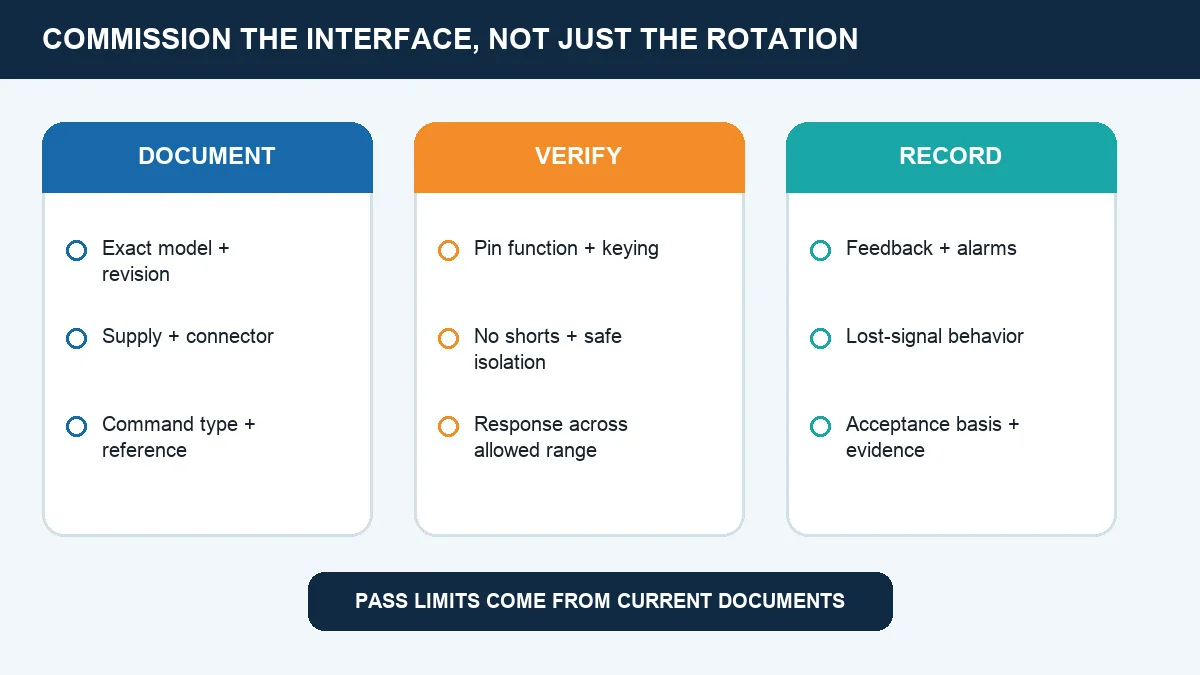
Start with the complete model number, nameplate, and wiring page supplied for that fan. Record the supply rating, control mode, signal reference, feedback type, connector or terminal identification, and documented response when the command is absent. These six fields form an interface passport that can be checked against the controller before a conductor is selected.
The model-specific drawing outranks a generic diagram or a photograph of a similar product. A four-wire 24 VDC fan can assign its conductors differently from a four-wire crossflow fan, and an EC fan powered from AC mains may place low-voltage control functions on a separate cable. Never infer terminal function from conductor count, color, physical position, motor wattage, or another fan’s successful installation.
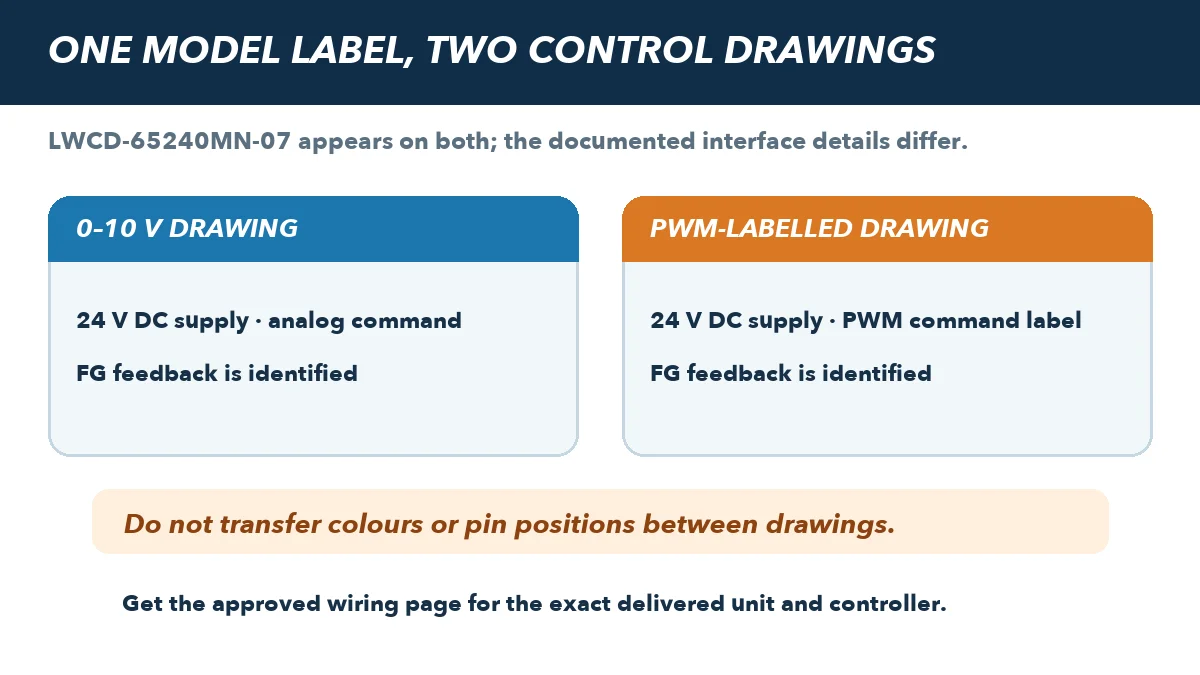
Drawings bearing LWCD-65240MN-07 show different four-wire control labels and conductor assignments: one shows a 0–10 V command, while another labels PWM. The model number alone does not establish which connection map is approved for a delivered unit. Obtain its order-specific wiring page and revision, then reconcile the connector and controller before energizing. PWM must not be treated as shorthand for 0–10 V. Use the EC cross-flow fan family page for product-family discovery only, then request the current drawing for the exact ordered model and revision.
Establish the Electrical Safety Boundary
Before opening a terminal box or moving a conductor, isolate every relevant energy source, apply the required lock and tag, control stored energy, and use suitable test equipment to verify that exposed parts are de-energized. A wall switch, software command, enable signal, or control relay is not an isolating device. Some systems contain separate power sources for the fan, controller, and monitoring circuit, so the isolation plan must cover the entire interface.
De-energized inspection should confirm connector keying, protective earth where required, strain relief, cable condition, and the absence of unintended shorts. Continuity and insulation checks must be appropriate for the equipment and manufacturer procedure; uncontrolled test voltages can damage electronic inputs. Restore guards and covers before authorized energization.
Separate the Power and Control Domains
Draw the interface as two domains. The power domain supplies the fan’s energy and may be AC mains or low-voltage DC, depending on the model. The control domain carries a documented analog command, PWM command, enable, alarm, or speed-feedback signal. Treating these domains as interchangeable can expose a low-voltage terminal to destructive voltage or leave protective grounding incomplete.
The motors and drive systems catalog can help define the available product families, but it does not approve a terminal map. Approval still requires the fan drawing, controller output specification, connector details, and revision to agree line by line.
For a 0–10 V input, identify both the command terminal and its specified reference or common. Confirm whether the external controller sources the signal, whether the fan provides a reference supply for a permitted device, and what input range is allowed. Zero volts does not universally mean stop. Minimum-speed behavior, enable logic, open-input response, and command scaling can all be model-specific.
PWM is a digital command, not another name for an analog 0–10 V signal. Its permitted logic levels, frequency range, duty-cycle convention, input circuit, pull-up arrangement, and open-input behavior must come from the exact fan specification. A controller that produces PWM may still be electrically incompatible if these details do not match.
Treat FG or Tacho as Feedback, Not a Command
FG, tacho, and pulse outputs normally report speed or rotor activity to a receiver. They do not accept the speed command. Some are open-collector outputs that require a receiver-side pull-up, but the allowed voltage and current, pulse count per revolution, and locked-rotor behavior are not universal. Applying a command voltage to a feedback output can damage the fan or controller.
Control wiring should be routed as a signal path. Follow the product instructions for separation from power cables, shielding, grounding, maximum cable length, and electromagnetic compatibility. Confirm the reference strategy and avoid unintended ground loops. Provide mechanical support and strain relief so vibration or servicing cannot turn a correct pin map into an intermittent connection.
Verify the Map and Commission the Complete Response
Before energizing, compare the physical connector and keying with the exact drawing. Check each pin function, the signal reference path, protective grounding, continuity where appropriate, insulation, and the absence of shorts. Photograph and label the final connection map. This evidence helps a reviewer catch a mismatch and gives the next technician a reliable starting point.
Commissioning should be planned and performed by a qualified person. Within the documented command range, verify rotation, stable operation, expected speed response, controller scaling, feedback, and alarms. Then test the specified lost-signal condition. A fan that responds correctly during normal control but behaves unsafely when a signal wire opens has not been successfully commissioned.
Record the fan model, wiring-page revision, supply, controller output type, terminal map, reference arrangement, test conditions, measured response, alarm behavior, and acceptance basis. Visible instruments or temporary connections in demonstrations provide context only; they are not universal pin assignments or limits. The defensible result is an interface traced from exact documentation and verified as a complete system.
If the fan itself has not yet been selected, use the cross-flow fan selection guide to structure the application brief. Selection guidance does not replace the final wiring page; the exact interface passport must still be closed before installation.
Choose the right speed regulator
Longwell manufactures 5 speed regulators in-house. Send airflow, static pressure and voltage — an engineer replies with a matching model, performance curve and price within one working day.